Desktop cockpit for AI coding agents
Run many agents at once. Keep the decisions.
ove.run runs eight agent CLIs side by side, gives them shared project knowledge, and checks their work against the quality gates you configure.
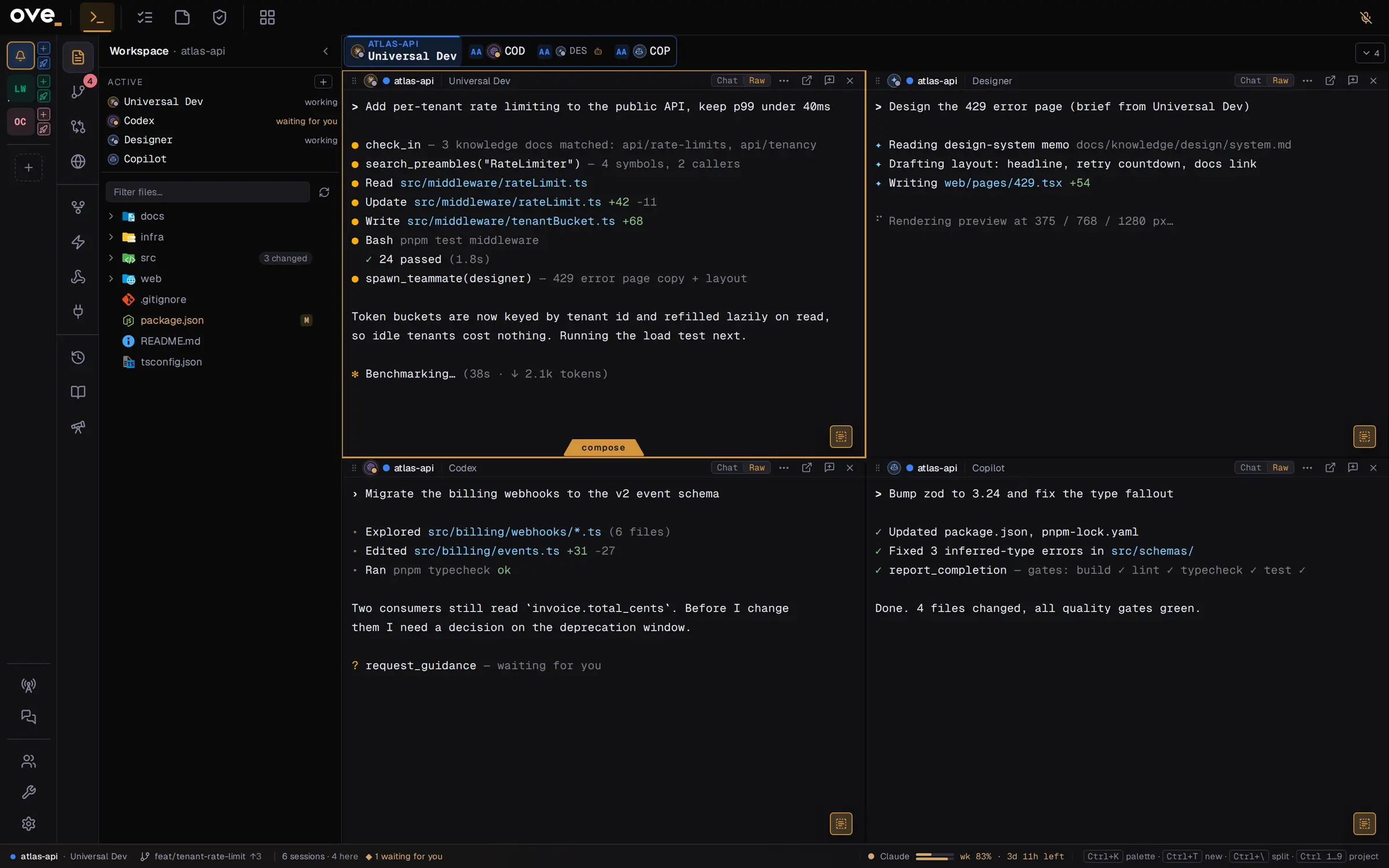
Desktop cockpit for AI coding agents
ove.run runs eight agent CLIs side by side, gives them shared project knowledge, and checks their work against the quality gates you configure.
Each agent runs in its own terminal. It asks questions you miss, starts without what the last one learned, and reports done before the tests pass.
ove.run puts every agent, every question and every check in one window.
Claude Code, Codex, Gemini, Copilot, Cursor, OpenCode, Amp and Antigravity, plus a plain terminal. Run them side by side, in any mix.
Pick the CLI per task, not per vendor.
An agent can spawn a designer, a content editor or a developer in its own session, where you can watch it. When any agent needs a decision, you get a form, not a line in a terminal.
A question in a terminal scrolls away. A form waits for your answer.
A skill is a written method for one kind of work: planning a feature, chasing a bug, auditing a UI. ove.run classifies each task and loads the skill that fits. You can also pin a skill to a task or require it in a persona.
grill-meto-specto-ticketsverify-before-completediagnosing-bugssurgical-changestesting-best-practicescode-review-guidelinessecurity-reviewauth-implementation-patternsui-auditvisual-verifyaccessibility-compliancedesign-system-memowritingclarify-copyBuilt-ins are read-only. Duplicate one to make it yours, or write a new one.
ove.run keeps a project knowledge tree in docs/knowledge/. Every doc is validated, marked stale when the code it references changes, and served to every agent over MCP.
The next agent starts from what the last one wrote down.
Add MCP servers globally or per project. When a session starts, ove.run writes the server list into each of the 8 CLIs' own config files, in that CLI's format.
mcpServers shape${NAME} placeholdersOne server list. Eight config formats you never edit by hand.
Set build, lint, typecheck and test commands per project, plus a preview URL. They run when an agent reports completion.
The agent that wrote the code doesn't grade it.
Each new session edits the shared project folder or gets its own worktree, with a new branch and working copy. In Team mode, the whole team shares one worktree.
.worktreeinclude files and runs your worktree hooks, such as pnpm install; the agent starts only once setup succeedsRun agents in parallel and see where their edits collide.
Each session gets its own change review. Comment on a line and the comment goes back to the agent.
| Area | ove.run | Without ove.run |
|---|---|---|
| Agents | 8 agent CLIs side by side in one grid | A terminal per agent, constant switching |
| Questions | Agent questions arrive as forms | Questions scroll past in a terminal |
| Teammates | Agents spawn specialists in their own sessions | You brief every new agent by hand |
| Skills | The right skill loads per task; fork or write your own | The same instructions retyped into every prompt |
| Knowledge | Validated knowledge tree in the repo, served over MCP | The same context pasted into every session |
| MCP | One server list, written into every CLI's config | Eight config files edited by hand |
| Quality | Gates run on completion; an independent critic reviews | Failures found after the merge |
| Workspace | Shared folder or isolated worktree per session; overlap flagged | Agents overwriting each other's edits |
| Git | Hunk-level staging, per-session review | Another tool for every review |
| Tasks | MoSCoW board; import from GitHub Issues or YouTrack | Issue text copied into prompts by hand |
| Notes | Grid or canvas, quick capture | Notes in a separate app |
| Automation | Cron-scheduled agent runs, shell and webhook hooks | Every run started by you |
| Spend | Plan usage badges, per-project budget limits | A dashboard per provider |
| History | Searchable transcript history | Scrolling back through old terminals |
One window for every agent you run.